Troubleshoot Error Messages with AI Screen Analysis
Stop guessing what error messages mean. Share your screen and get instant, contextual solutions from an AI that reads your errors directly.
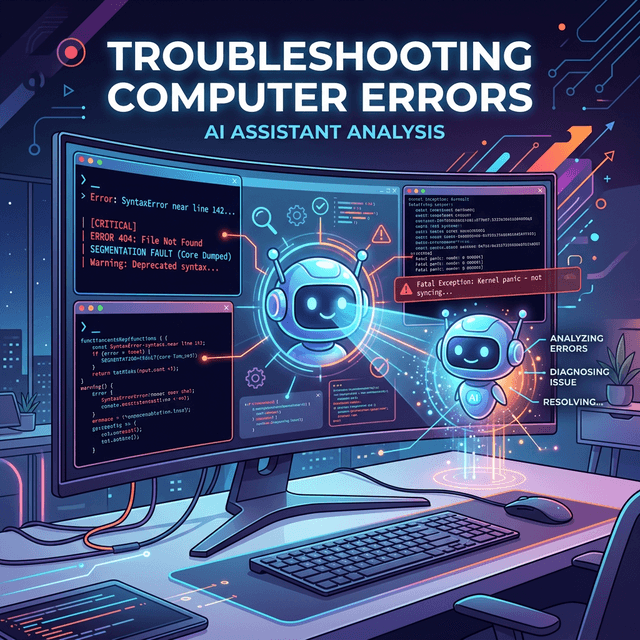
Why Error Messages Feel Like a Foreign Language
You are in the middle of a task and a wall of red text appears on your screen. Maybe it is a cryptic stack trace from a failed build, a Windows blue screen with a meaningless stop code, or an application crash with an "unexpected error" that provides zero useful detail.
The default instinct is to copy the error and paste it into a search engine. Most of the time, you end up scrolling through forum posts from years ago that almost match your situation but not quite. The problem is simple: search engines do not know what you are looking at. They only see the fragment you copied, stripped of all the surrounding context that actually matters.
Screen Copilot takes a fundamentally different approach. Instead of you describing the problem, the AI sees it directly on your screen, exactly as it appears, in full context.
How Screen Copilot Reads Errors in Context
When you share your screen, the AI does not just read the error message itself. It sees the application you are running, the code you wrote, the terminal output leading up to the failure, and the state of your environment. That context transforms a generic suggestion into a precise, actionable fix.
Instead of pasting ENOENT: no such file or directory into a search bar, Screen Copilot sees your terminal, identifies the command you ran, notices the misspelled path in your config file visible in the editor behind it, and tells you exactly which line to fix.
Quick Fix
Scenarios Where Screen Copilot Excels
Build and Compilation Errors
Build errors often cascade. A single missing dependency produces fifty lines of output, and the actual cause is buried in the middle. Screen Copilot scans the entire output, identifies the root error, and walks you through the fix. Whether you are working with webpack, cargo, gradle, or make, the AI recognizes common patterns and knows where to look first.
Runtime Crashes and Exceptions
Runtime stack traces often point to library internals rather than your code. Screen Copilot traces backward through the call stack, finds the frame in your code, and explains what went wrong in plain language. It spots patterns like null reference exceptions, type mismatches, and memory issues that have well-known solutions.
Driver and Hardware Errors
Hardware errors are notoriously vague. A display driver crash, a USB device that refuses to connect, or an audio device showing "not available" can each have dozens of causes. When Screen Copilot can see your Device Manager, system logs, or error dialogs, it narrows down the possibilities far faster than manual troubleshooting.
Permission and Access Errors
Permission errors come in many flavors: access denied, authentication failures, admin privilege requirements, and certificate warnings. Screen Copilot reads the specific error dialog, checks what you are trying to access, and provides targeted instructions for your operating system.
Pro Tip
Why This Beats Copy-Pasting Into Search Engines
- Full context, not fragments. The AI sees your entire screen, not just the one line you copied. It often identifies the real issue in information you would have left out.
- No translation required. You do not have to figure out which part of the error matters. The AI triages for you.
- Conversational follow-up. If the first suggestion does not work, you can try it, show the result, and iterate.
- No outdated results. The AI responds to what is on your screen right now, not advice written for software released five years ago.
Stop Guessing, Start Solving
Error messages exist to communicate what went wrong. The problem has never been the error itself; it has been the gap between what the error says and what you understand. Screen Copilot bridges that gap by seeing exactly what you see and translating it into clear, actionable guidance.
Whether you are a developer staring at a failed CI pipeline, a designer fighting an export error, or someone who just wants their printer to stop showing "Error 0x80070005," Screen Copilot turns frustrating roadblocks into quick fixes.
Ready to try it yourself?
Start a free Screen Copilot session and get AI guidance on your own screen.
Try Screen Copilot Free